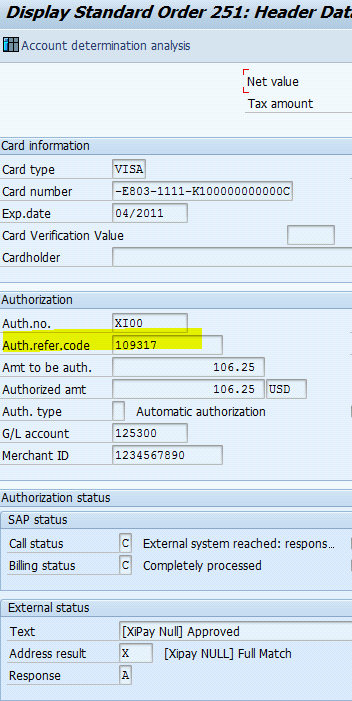
Locate XiPay Transaction ID in SAP
For any authorization failures or errors or declines, investigation can be done using the XiPay WebGUI. When an authorization request is sent from SAP, XiPay assigns a Transaction ID to the request and this populates the SAP Authorization Reference Code field in the response sent.
The XiPay Transaction ID is saved as the Authorization Reference Code in SAP. In some instances your System Integrators may have customized SAP to display it as XiPay (XiPay) Transaction ID. For any inquiries on the XiPay WebGUI application this XiPay transaction ID can be used.
Procedure
Perform the following steps to view the Authorization Reference Code in SAP in the payment card detail screen of an SD order.
-
In SAP, the authorization reference code (for an order with payment card authorizations) can be viewed by going to transaction VA03 (Sales Order display) and entering the order number.
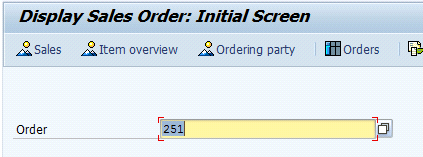
-
Press Enter.
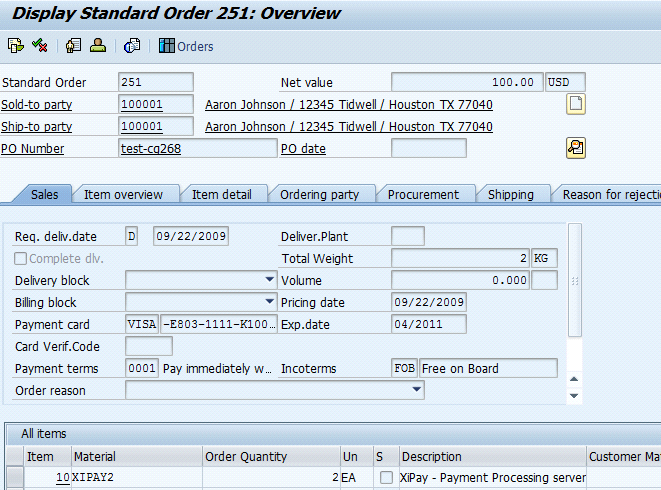
-
Click on the Header of the sales order icon, press Enter, and then choose the Payment Cards tab.
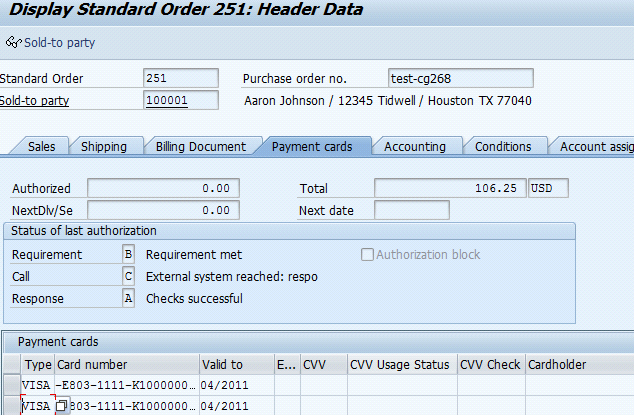
-
The first line above shows an authorization request and the second line is the Authorization response. Double-click on the second line to view the following response details. The highlighted value below is the Authorization reference code populated with the XiPay Transaction code.