Introduction
Welcome BillPay
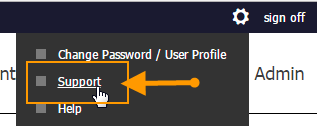
If additional assistance is required, click the gear icon in the upper right corner of the BillPay Portal and select the Support link.
BillPay Solution Overview
The diagram below illustrates the overall BillPay solution and the following key points:
Merchant Portal is used to perform the following:
-
Configure and setup Merchant in the BillPay Portal. The BillPay environment and Merchant profile are initiated in Merchant Portal and then pushed to BillPay.
-
Create BillPay Merchant Users.
-
Create and maintain BillPay custom user roles.
BillPay Portal is used to perform the following:
-
Allows Buyers to submit payments directly (if implementing this option).
-
Allows Merchant CSRs and/or accounting personnel to submit payments on the Buyer's behal .
-
Allows users to view various reports for information on invoices and payments.
-
Invoices (and Buyers if implementing them in BillPay) are uploaded via the Batch API.
-
Any updates to Invoices or Buyers are made via the Batch API or in real-time via the RESTful API (if implementing this option). Transactions can also be updated via the APIs.
-
The BillPay solution utilizes the XiSecure and XiPay platforms to perform tokenization and authorization. XiTransfer is used for secure batch file transmission.